
SharePoint Intranet is more than just a digital filing cabinet. For marketers, it’s a powerful tool that can revolutionize your work. From streamlining workflows and fostering collaboration to amplifying brand messaging, an effective intranet can be your secret weapon for achieving marketing success.
Let’s explore how harnessing the power of your intranet can elevate your marketing strategies.
Marketing staff challenges include:
- Managing multiple, interdependent, time-critical projects, such as trade shows, press tours, and product launches, that may involve multiple groups scattered across wide geographic areas.
- Keeping the sales department informed of marketing programs, such as new pricing strategies, trade show participation, and special promotions.
- It’s important to share information about competitors with the sales team and other departments. Sales and marketing teams need to work closely together, but other parts of the business also need to communicate. For example, managers in different areas need to see up-to-date sales figures. Marketing and sales managers need company information like production plans and product costs.
- Collecting and keeping correct and current market information is difficult because it comes from many different places. A lot of important products, services, and market details are on paper, which is slow and costly. The situation is made worse by the fact that market conditions change quickly, so information can be outdated before it’s shared. It’s also hard to gather and combine sales estimates, offers, and results in a secure and timely way. Many companies sell products through different channels in many places, and these channels depend on each other.
The Intranet SharePoint portal functions
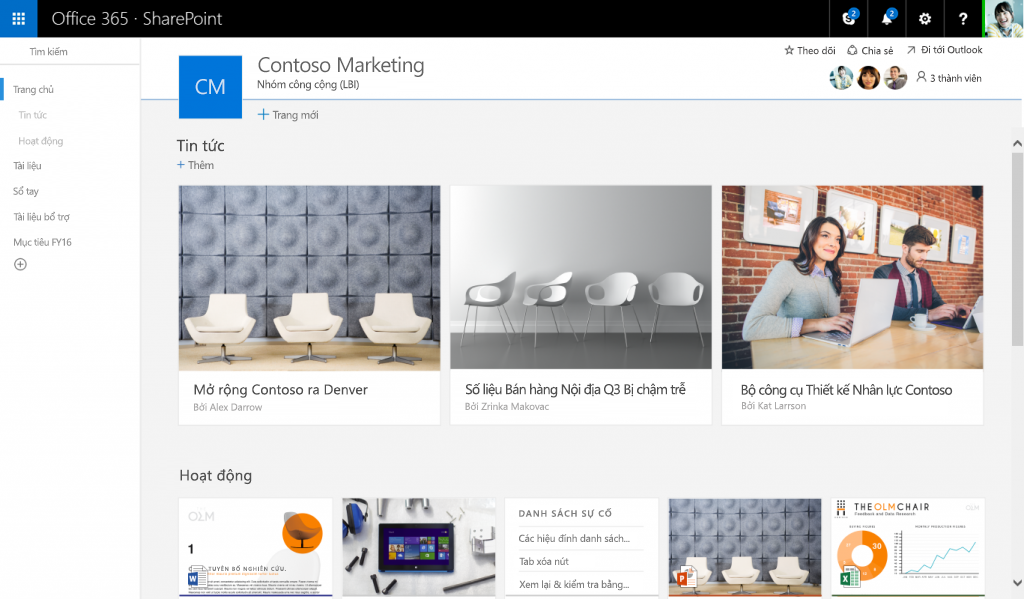
SharePoint Content Management and Asset Storage
Source: Microsoft
Your marketing team members will be able to reduce the time it takes to discover and find useful and relevant content just as easy as it is to publish content into the company portal. No worries about protecting your assets, SharePoint safeguards your business with record management, which is secure and protected across the organization with your employee intranet.
Product Information
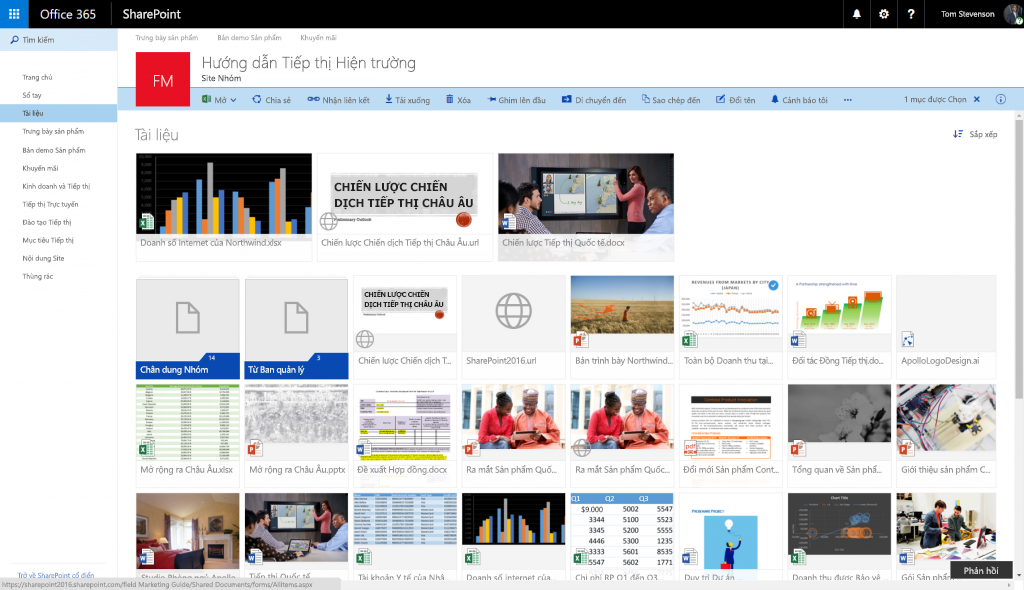
SharePoint provides a central repository for employees, customers, and business partners to access information such as product availability, price lists, catalogs, brochures, data sheets, and specifications.
Source: Microsoft
Product demos and scripts
Allow the sales force to download product demonstration scripts and sales presentations. Much faster and less expensive than traditional methods of distributing demonstration and presentation materials. Ensures the inclusion of the latest features in presentations.
Sales forecasts and reports
Sales management disseminates sales goals and performance data over the Intranet. The field sales force has access to the most recent sales and quota information. Enhances communications among field sales, regional sales management, and headquarters. Gives management better tools for tracking sales performance, such as comparing forecasts to actual sales. Helps manufacturing perform more effectively with production scheduling.
Sales contact management
Use a Web-based database to centralize a single sales contact management system that sales reps and business partners can leverage. Provides a central database accessible by remote sales employees anywhere, anytime. More consistent, timely, and accurate tracking system for customer prospect information.
Sales lead management
Use e-mail or other group applications to distribute sales leads to appropriate reps and channel partners. Ensures timely collection and distribution of leads to maintain their maximum effectiveness. Enables fast follow-up to maximize close rate.
Market research
Researchers access the Internet to locate market information such as industry trends and competitive products. Information can be published on an internal Web site. Instant access to a wealth of Internet data improves product planning, marketing strategy development, and product pricing. Provides a central source of critical information, including competitive information, changing customer requirements, and emerging market trends.
Gathering Feedback
Source: dmitryrogozhny
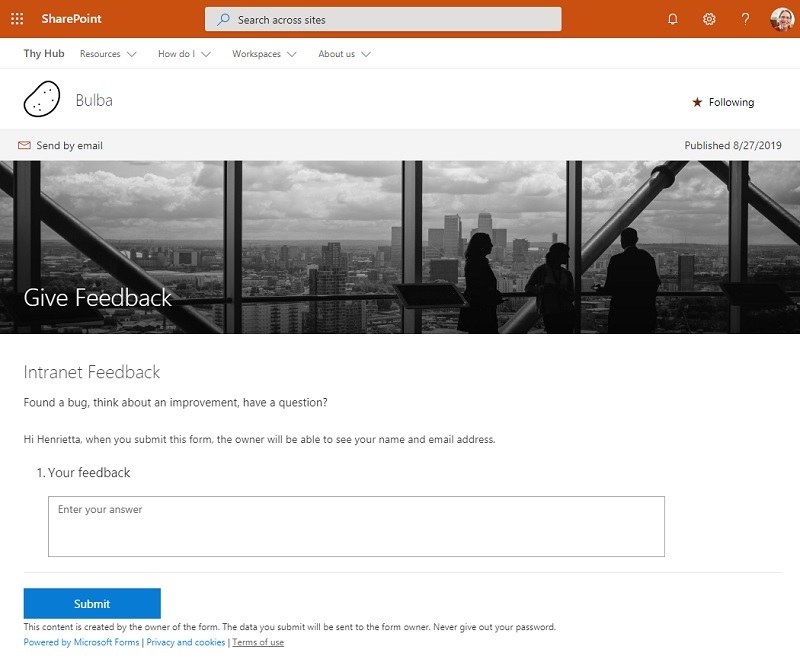
Seek opinions from employees working directly with customers. Send surveys through email or website to get helpful ideas about products, services, and marketing activities. Make sure offerings match customer needs. Improve marketing efforts for better results.
Finding Potential Customers
Salespeople can collect information about potential clients. Boost sales team efficiency by giving them quick access to detailed data about potential customers in their area.
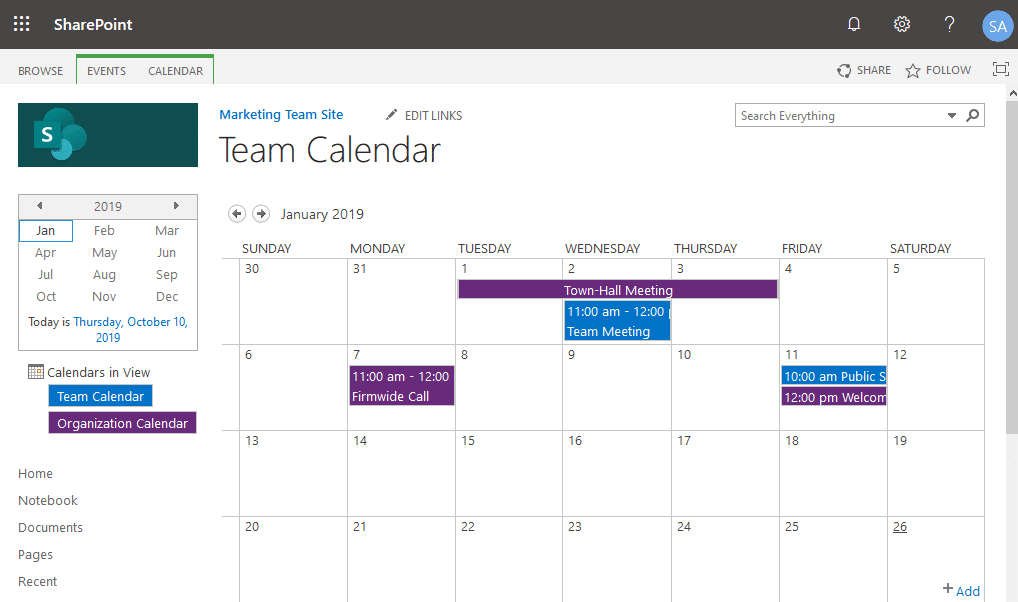
Team Calendars
source: sharepointdiary.com
Publish schedules and calendars for trade shows, seminars, advertising, PR campaigns, and project plans in a central location. Improves the skills and knowledge of the sales force in a cost-effective and timely manner. Provides a centralized repository for easy access by new employees.
